
Indoor Golf Training Center: The 7-Point Checklist
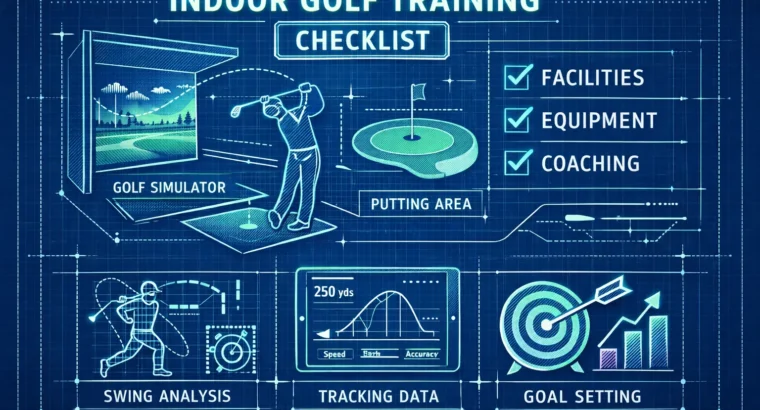
Indoor golf training center shopping is noisy. Most guides list twenty things. You won’t need twenty.
Here are seven that matter. Clear. Practical. Tested.
We use real numbers and simple tests. One tool ties it together: IndoorGolfing — a searchable directory of 200+ simulator venues that helps you find and compare local options fast.
Read this. Shortlist two. Book a trial.
Quick 7‑Point Checklist to evaluate an indoor golf training center
Use this as your fast screening list. If a venue flunks one or two items, keep looking. If it clears most, book a trial.
- Technology. Which launch monitor and simulator software? (TrackMan, GCQuad, FlightScope, Full Swing, Uneekor).
- Coaching. PGA credentials, data-driven lessons, lesson lengths and packages.
- Bay & space.Bay dimensions, turf/mat condition, ceiling height, screen and projector quality.
- Data & analysis.Video capture, shot logging, exportable session reports and metrics.
- Pricing & membership.Hourly rates, packages, membership terms, what’s included.
- Amenities & logistics.Parking, climate control, private bays, restrooms, accessibility.
- Trial & booking terms.Trial structure, cancellation policy, ease of booking.
How to use this indoor golf training center checklist — the scorecard
Keep it simple. Rate each category on a 0–5 scale. Convert to points using these weights and get a 0–100 score. If you prefer 0–100 for each item, use the weights directly.
Weights (total 100):
- Technology: 20
- Coaching: 20
- Bay & space: 15
- Data & analysis: 15
- Pricing & membership: 15
- Amenities & logistics: 10
- Trial & booking terms: 5
How to score quickly on your phone:
- Rate each category 0–5 (0 = unusable; 5 = exemplary).
- Multiply each rating by the category weight, then divide by 5.
- Sum the results. That’s your 0–100 score.
Interpretation:
- 80+ = Shortlist. Book a trial now.
- 60–79 = Serious candidate. Look for improvements or package deals.
- <60= Pass. Keep searching.
Quick example: Technology = 5 (TrackMan), Coaching = 4 (PGA pro), Bay = 4, Data = 5, Price = 3, Amenities = 4, Trial = 4. The math gives ~85. Shortlist.
Deep dive — each point explained and tested
1) Technology: launch monitors, simulators, and what to trust
Technology is the backbone. If you’re paying for coaching or a club fit, this is the single most important item.
Who leads? TrackMan and Foresight GCQuad are the two names you’ll see at high-end centers. FlightScope is common and offers good value. Full Swing and Uneekor appear in entertainment-focused venues.
Short comparison, plain spoken:
- TrackMan — radar-based, rich software features, indoor-optimized models (iO). Widely used in performance centers.
- GCQuad (Foresight) — camera/photometric system. Very consistent on mis-hits and spin axis. Great in studios.
- FlightScope — radar option with strong value and decent accuracy indoors.
What good looks like: real-time numbers on carry, total distance, spin, launch angle, clubhead speed, attack angle, shot repeatability, and a live data screen you can read while you hit.
What to ask when you call:
- Which launch monitor do you use? Is it the indoor-optimized model?
- Which simulator software do you run (E6, The Golf Club/E6 Connect, TrackMan, etc.)?
- Can I see a live data screen during a trial?
What to test on a visit: hit 5 drivers, 5 mid-irons, 5 short shots. Watch the spread in numbers. TrackMan and GCQuad should be repeatable. If the numbers bounce wildly, that’s a red flag.
Red flags:
- Staff can’t pull up the data or explain it.
- Inconsistent readouts between similar swings.
- No demo of practice modes or simulator courses.
When it matters most: club fitting and lessons. If that’s your priority, insist on TrackMan or GCQuad-level monitors.
For a deeper equipment comparison, see a thorough Foresight vs TrackMan comparison, and check curated lists of the best golf launch monitors to understand strengths and price tiers.
2) Coaching & lesson quality (indoor golf lessons)
Good coaching is not just about credentials. It’s about using data to make practice productive.
What good looks like:
- PGA or LPGA certification, or verifiable teaching credentials.
- Coach uses the launch monitor during lessons and records sessions.
- Clear lesson structure: measurable goals, reinforcement plans, follow-up assignments.
Typical formats and benchmarks (U.S.):
- 30-minute private: $80–$120.
- 60-minute private: $125–$395.
- Lesson packs: discounts for 3–10-session bundles.
Questions to ask:
- Are you PGA-certified or have equivalent credentials?
- Do you use the launch monitor data to set goals and measure progress?
- Are lessons recorded and can I get video/data afterward?
What to test in a trial lesson: ask the coach to explain a single metric — spin, attack angle, or club path — in plain language. If they can’t explain one metric clearly in two minutes, move on.
Red flags:
- Lessons that are just supervised hitting—no data, no plan.
- Coach dodges basic metrics or avoids showing session exports.
3) Bay, turf, and physical specs (the space matters)
Space is not glamorous, but it changes what you can practice.
Benchmarks and why they matter:
- Minimum teaching bay: 10′ wide × 20′ long × 11′ high. It keeps your backswing honest and your driver swings legal.
- For full driver work, bigger is better — more ceiling and depth reduces the chance of altered swings.
- Turf or mat quality must be commercial-grade and mounted on a stable base (compacted stone or solid subfloor).
Projectors and screens matter too. A washed-out image makes distance judgment harder. Lighting should be even and glare-free.
What to test:
- Is there room to swing freely? Take a dry backswing and pause at the top to see if anything feels cramped.
- Are mats worn or uneven?
- Does the ball return operate smoothly? Is the tee area level?
For guidance on recommended room dimensions and layout for simulators, see practical recommendations on recommended room sizes for simulators.
Questions to ask:
- Bay dimensions? Ceiling height?
- Is this a private bay or open layout?
Red flags: cramped bays, low ceilings, worn mats, projectors positioned so images are distorted.
4) Data capture and video analysis (what to demand)
Data without context is noise. Video without data is a missed opportunity. You want both synchronized.
Key metrics to expect:
- Carry and total distance
- Spin rate and spin axis
- Clubhead speed and ball speed
- Launch angle and attack angle
- Club path and face angle
Video needs to be high-speed enough to show impact and synchronized with the launch monitor so you can see numbers and motion together.
Deliverables you should demand:
- Session report with numbers and a summary.
- Swing video files you can download.
- Progress tracking across sessions.
What to test on a trial visit: request a printed or emailed session summary after your 15–20 swings. If they hesitate or say “we don’t export,” that’s a problem.
Questions to ask:
- Can I get session notes or a data export?
- Which software do you use for analysis (TrackMan coaching tools, E6, TGC)?
Red flags: no video, no export, or data locked behind closed accounts with no way to take your files.
5) Cost and membership at an indoor golf training center
Price matters. But value matters more.
Hourly rates in the U.S. (2023–2025 sample ranges):
- Typical: $40–$60/hour for standard weekday/evening use.
- Weekdays off-peak: $22–$45/hour.
- Weekends/peak: $35–$75/hour (private bays at the high end).
Memberships and packages:
- Monthly memberships start around $75/month for limited hours. Higher tiers run $125–$300 with reserved time.
- Prepaid hour packs drop effective hourly cost to $24–$45/hour.
How to judge value:
- Calculate cost per usable hour with a coach versus practice-only time.
- Check if lesson time counts against bay hours.
- Factor in peak-hour surcharges and booking restrictions.
Negotiation tips:
- Ask about off-peak discounts.
- Ask for student/senior rates.
- Ask if lesson packages include discounted bay time.
Questions to ask:
- What’s included in the hourly rate (balls, clubs, staff)?
- Are there hidden fees or mandatory long-term contracts?
Red flags: vague package terms, mandatory long-term contracts for casual users, bay fees hidden in the lesson price.
6) Amenities & logistics (comfort and convenience)
This is the thin edge of what makes regular practice tolerable.
Must-haves:
- Easy parking and safe lighting.
- Climate control for year-round comfort.
- Clean restrooms and reliable Wi‑Fi.
- Phone charging, clear signage, and staff present during posted hours.
Nice-to-haves:
- Lounge or café, private fitting room, club storage, leagues or events.
- Private bays for fittings or corporate events.
Accessibility: ramps or elevators for multi-floor sites. If you need it, confirm before you go.
Red flags: no bathroom access, empty parking lots with poor lighting, no staff during advertised hours.
7) Trial session & booking terms — how to test a facility in 60 minutes
A 60-minute trial tells you everything if you use the time wisely. Don’t waste it hitting aimless shots.
60‑minute trial blueprint:
- 5 min: arrival and orientation — check bay dimensions and screen.
- 10 min: warm-up and setup (clubs, stance, camera setup).
- 15 min: driver sequence — 5 focused driver shots with live data.
- 15 min: iron sequence — 5 shots each of two mid/short irons (e.g., 7 and 9).
- 10 min: short game/putting check — 5–8 short shots and a few putts.
- 5 min: data review and coach recap — session summary, next steps.
What to bring:
- Your own clubs (if possible).
- Comfortable shoes.
- A list of data-savvy questions (see below).
Questions to ask before booking:
- What is your cancellation policy?
- How long does a typical lesson run?
- Can I get a sample session report after the trial?
Red flags: rushed orientation, no data review, inability to book a trial slot in a reasonable window.
How IndoorGolfing helps you shortlist and confirm
IndoorGolfing exists to remove the guesswork. It’s a focused directory for indoor golf simulator venues — over 200 curated listings across key countries.
Use it like this:
- Search your city and filter for keywords: “TrackMan”, “simulator”, “lesson”, “GCQuad”. Use theIndoor Golf Practice Facility Near Metool or browse theindoor virtual golf listingsto locate nearby venues.
- Make a shortlist of three venues and score them quickly using the checklist above.
- Contact them using the contact info provided on IndoorGolfing. Confirm tech and coach availability.
- Book 60‑minute trial sessions within a week to keep momentum.
Sample phone script (copyable):
“Hi — I’m looking to book a 60‑minute trial. Do you have TrackMan or GCQuad? Is a PGA coach available that day? Also, can I get a session report emailed afterward?”
Why IndoorGolfing helps: it shows up-to-date contact info, key equipment notes when listed, and makes sharing and comparing easy via mobile or desktop. Use that to shorten the discovery phase from weeks to days.
For venue owners: listing on IndoorGolfing makes your TrackMan or simulator details visible to lesson-seekers and event planners. Add your listing (for example, local entries like 9 Yards Golf Simulators & Lounge, 24 Precision Golf, or a club page such as Birdie Club) so customers can find you quickly. If you’re formalizing an indoor program, review the PGA recognized indoor facility form for guidance on standards and recognition.
Compare, decide, book — quick decision rules
- If you want coaching and fitting: require TrackMan or GCQuad and a PGA-certified coach.
- If you want social play and leagues: prioritize atmosphere, price, and hours.
- If you travel often: prioritize private bays and easy booking or off-peak availability.
- When to join a membership: if you’ll use more than 8–10 hours a month, run the membership math. Otherwise buy hour packs.
Short sample scorecard (copyable)
Quick table to copy into a notes app or print. Rate 0–5 and use the math method above.
| Category | Weight | Rating (0–5) | Contribution |
|---|---|---|---|
| Technology | 20 | 5 | (5/5)×20 = 20 |
| Coaching | 20 | 4 | (4/5)×20 = 16 |
| Bay & space | 15 | 4 | (4/5)×15 = 12 |
| Data & analysis | 15 | 5 | (5/5)×15 = 15 |
| Pricing & membership | 15 | 3 | (3/5)×15 = 9 |
| Amenities & logistics | 10 | 4 | (4/5)×10 = 8 |
| Trial & booking terms | 5 | 4 | (4/5)×5 = 4 |
| Total Score | 84 |
Use this on your phone. Rate quickly. Compare three venues. Pick the highest-scoring one and book a trial.
Case study snippets
Kansas City cluster. Multiple TrackMan and GCQuad-equipped centers sit close together. That density means competition on coaching and fitting. If you live nearby, you’ll find a good deal and credible coaches — check local listings such as 9 Yards Golf Simulators & Lounge or 24 Precision Golf when you compare equipment and coach credentials.
Big city tradeoff. Expect higher prices in dense urban centers like NYC or Chicago. Suburban centers often offer better bay size and coach-to-price ratios. Decide if convenience or value is more important to you — you can spot suburban bargains by filtering for private bays and lower hourly rates on IndoorGolfing, or by comparing club pages such as the Birdie Club.
Appendix: templates and quick references
Email template to request a trial and confirm equipment
Copy-paste and edit:
Hi — I’d like to book a 60‑minute trial on 2026. Do you use TrackMan, GCQuad, or FlightScope in that bay? Is a PGA-certified coach available for that timeslot? Can you email a sample session report after the trial? Thank you.
Quick glossary
- TrackMan — radar-based launch monitor with robust software and coaching tools.
- GCQuad — camera-based photometric launch monitor known for accuracy on mis-hits and spin.
- Launch monitor — device that measures ball and/or club metrics; essential for coaching and fitting.
- Spin rate — how fast the ball spins; a key determinant of distance and stopping power.
- Carry — how far the ball travels in the air before landing — the single most useful number for clubs.
Price reference table (U.S. sample)
| Service | Typical Range | Notes |
|---|---|---|
| Hourly bay rate (weekday, off-peak) | $22–$45 | Lower for early hours and student rates. |
| Hourly bay rate (evenings/weekends) | $35–$75 | Private bays at the high end. |
| 30-min private lesson | $80–$120 | Often used for tune-ups. |
| 60-min private lesson | $125–$395 | Depends on coach credentials and market. |
| Monthly memberships | $75–$300+ | Depends on hours included and reserved time. |
| Prepaid hour packs (effective hourly) | $24–$45 | Best value if you plan frequent practice. |
What to bring checklist
- Your clubs and any preferred training aids.
- Comfortable shoes and a water bottle.
- Notebook or phone to capture numbers and coach notes.
- Questions about tech and exports (see above).
Conclusion — short, clear next steps
You don’t need every toy. You need seven things, done well.
- Use the 7‑point checklist to score three nearby venues.
- Use IndoorGolfing to find and compare venues quickly. Filter by simulator or TrackMan to speed things up.
- Book a 60‑minute trial for your top two scorers. Test technology, coach, and space.
- Choose the place that scores highest and fits your budget. Then practice with purpose.
Short, useful, done. Now go shortlist — and then hit five true shots.