
Indoor Golf Party: Themes, Venues & Host Checklist
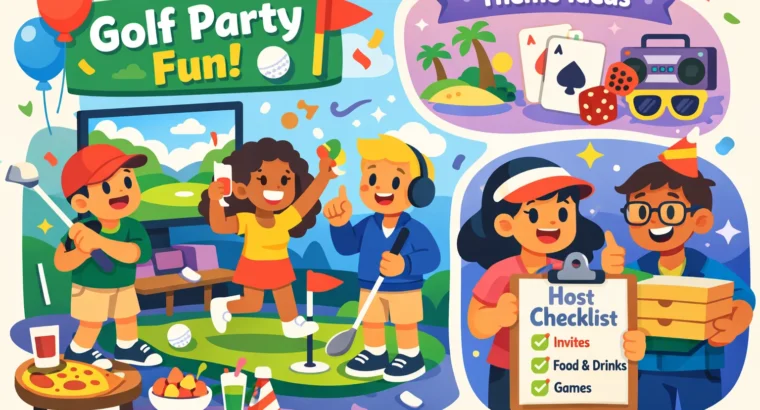
Quick start (read this in 60 seconds)
The promise: pick a venue or host at home, choose a theme, estimate cost, and run the party with a one‑page checklist.
3-step mini-plan
- Choose the format: public venue (Topgolf / simulator bar / Full Swing) or a home simulator.
- Pick one of 10 themes and 2–3 games that match your guests.
- Book (or set up) and follow the day‑of checklist below.
Introduction — why an indoor golf party works
Indoor golf party season never ends. Rain, heat, or snow won’t cancel this kind of get‑together—and that’s the first reason people love them.
In one room you get year‑round play, easy food and drink, and something social that works for mixed ages and skill levels. It’s low‑barrier: most venues include club rentals, and casual game modes keep newcomers engaged. You can run a kids’ birthday, a teen glow night, a competitive Pro Tour bracket, or a low‑pressure family day — all in the same footprint.
As founders of IndoorGolfing we’ve curated 200+ indoor golf simulator venues worldwide. That field experience is baked into this guide: follow it and you’ll know which format to pick, what to budget for, which games to run, and exactly what to do on the day.
How to choose the right indoor golf party format
Primary decision: venue vs home simulator. Below is a compact comparison to help you decide quickly.
| Format | Pros | Cons | Typical price (hour) | Best for |
|---|---|---|---|---|
| Topgolf‑style bays | Social, food & drinks, easy for big groups | Can be noisy; less privacy | $29–$97 | Casual adult groups, birthdays with food |
| X‑Golf / Full Swing suites | Private, high‑fidelity sims, great for events | Higher per‑hour cost | $29–$80+ | Tournaments, corporate team building |
| Simulator bars | Casual, walk‑in friendly, often per‑game pricing | Limited private space | $30–$60 | Small adult groups, social nights |
| Indoor mini golf | Highly visual, family‑friendly | Less realistic golf experience | Varies widely | Kids’ parties, mixed families |
| Home simulator | Full control, repeat events, convenience | High upfront cost, space required | Capital expense; rental value $30–$100/hr if rented | Frequent hosts, privacy, practice + party |
Quick checklist: what matters when choosing
- Budget per person and total spend.
- Guest ages and mobility—are kids or seniors in the group?
- Privacy: private suite vs open bay.
- Food & drink options and BYO policy.
- Club rentals and kids’ clubs availability.
- Tech support/attendant on hand.
- Capacity and rotation flow (active players vs spectators).
Find and compare venues quickly — use IndoorGolfing
What IndoorGolfing does: a searchable directory of 200+ indoor golf simulator venues worldwide with contact details, filters, and sharing so you can shortlist venues fast.
- Indoor Virtual Golf Near Me: Find, Compare & Book Sims— enter your city to start.
- Filter by capacity, kid‑friendly, private rooms, food & bar, and price estimates.
- Save and share a shortlist with guests via Facebook, Mastodon, or email.
What to look for on a listing:
- Sample photos (bay layout, seating, private rooms).
- Bay type and number of bays available.
- Hourly rate ranges and typical party durations.
- Package inclusions: clubs, food, private room, attendant.
- Parking, accessibility, and travel time for guests.
- Contact for private bookings and any minimum spend rules.
- Open IndoorGolfingand enter your city.
- Apply filters: private room, kid‑friendly, price range.
- Tap to save 3 favorites and share with your group.
What to expect from venue party packages (pricing & inclusions)
Typical inclusions
- 2–3 hours of reserved bay or simulator time.
- One set of club rentals per bay (kids’ sets often complimentary).
- Food & drink options (platters, packages, or bar service).
- Optional private rooms or lounge space for cake and presents.
- Event host/attendant to manage the sims and safety.
Pricing reality‑check
Typical hourly bay rates by venue type:
| Venue | Typical hourly bay rate | 2‑hour party example | Notes |
|---|---|---|---|
| Topgolf (varies) | $29–$97/hr | 2 hrs × $40 avg ≈ $80 + food | Membership fee often required for new players ($5–$6). For a recent look at Topgolf per‑person pricing, check an independent estimate. |
| X‑Golf / similar | $29–$59/hr | 2 hrs × $45 avg ≈ $90 | Weekday rates substantially cheaper. |
| Full Swing suites | $50–$80+/hr | 2 hrs × $65 ≈ $130 | Premium tech and private service. |
| Generic simulators / bars | $30–$60/hr | 2 hrs × $40 ≈ $80 | Good for small groups and casual play. |
- Party décor setup and signage.
- Dedicated event photography or videography.
- Advanced tournament management (brackets, printed trophies) — usually an add‑on.
Sample per‑person math (2‑hour party)
Use these three typical scenarios to set realistic expectations. Taxes, service charges, and gratuities will increase totals—add about 15–20% buffer.
- Budget — Local simulator: $30/hr × 2 hrs = $60. Shared platter $60. Cake $30. Base total = $150. Add 25% buffer (tax/service/incidentals) → ≈ $188 (~$31 per person for 6 guests).
- Mid‑tier — Topgolf bay: $60/hr × 2 hrs = $120. Food $150. Host/attendant $50. Total = $320 (~$53 per person for 6 guests).
- Premium — Full Swing suite or buyout: $100/hr × 4 hrs = $400. Catering $300. Dedicated event staff $100. Extras (prizes, AV) $100. Total = $900 (~$150 per person for 6 guests; scales down as group size grows).
Common add‑ons to budget: cake, private room rental, gratuity (10–20%), dedicated host, AV for presentations, and club rental if extra sets are needed.
Home golf simulator party — space, gear, and quick setup
When to choose home
Pick a home simulator when you plan to host repeatedly, want full control over schedule and food, or prefer privacy. It’s worth it if you’ll use the setup several times a year. If you’d rather find a dedicated practice venue instead of building at home, see Indoor Golf Practice Facility Near Me: Find & Book Fast.
Room dimensions (minimum vs ideal)
- Minimum: ~9–10 ft height, 9–10 ft width, 12–15 ft depth (works but feels tight).
- Comfortable for small parties: 10 ft height, 12–14 ft width, 16–18 ft depth (recommended). For detailed recommendations ongolf simulator room dimensions, see an independent guide.
Essential equipment checklist
- Launch monitor (entry to pro: SkyTrak & similar → FlightScope / Mevo+ → GCQuad). Price ranges vary from roughly a few thousand to over $10k for pro systems.
- Impact screen or enclosure + hitting mat and tee surface.
- Short‑throw projector (0.69–0.9 throw ratio) and PC/software (E6, The Golf Club / TGC). Consider a powerful laptop for smooth graphics. For help measuring projector distance and placement, seeprojector space measurement guidance.
- Safety netting, wall padding, and spectator seating.
- Extra club sets for novices or kids (or foam balls if space is tight). If you want a quick primer on how much floor space is recommended, thishow much space do you needguide is useful.
Quick DIY & safety hacks for parties
- Use foam practice balls for the kids’ rotation to avoid ricochets.
- Set a strict rotation: one swinger, one next‑up, two helpers/scorekeepers.
- Floor padding or rugs minimize bounce and protect the screen perimeter.
- Create a marked spectator zone (benches) and keep a 1–2m buffer behind the tee.
- If your space is tight, restrict drivers and focus on irons/short games and target practice.
10 winning themes for your indoor golf party
Pick a theme and match it to venue type, age group, and budget. Below are ten ideas with quick execution notes to make them feel polished.
1. Glow Golf Night (best for teens/adults)
- Decor: blacklights, neon balls, glow décor.
- Games: timed target challenges, glow closest‑to‑pin.
- Food: neon cocktails and glow mocktails; finger foods.
- Venue fit: simulator bar or private suite with dimmable lights.
- Ideal guest count: 8–20; prize: neon trophies or vouchers.
2. Pro Tour Tournament (competitive adults)
- Setup: seeded leaderboard, bracket, printed scorecards.
- Games: stroke play, match play, or scramble with handicaps.
- Venue fit: X‑Golf, Full Swing, or private buyout.
- Ideal guest count: 8–32; prize: custom trophy + gift cards.
3. Kids’ Mini‑Par‑Tee (ages 6–12)
- Decor: character balloons, kid‑safe clubs, stickers.
- Games: short course, score multipliers, sticker prizes.
- Venue fit: family‑friendly simulator or hybrid with indoor mini golf.
- Ideal guest count: 8–15; prize: toy clubs, medals.
4. Simulator Bar Party (casual adults)
- Atmosphere: craft beers, bar snacks, quick challenges.
- Games: beat‑the‑bartender, longest drive.
- Venue fit: simulator bars with open seating.
- Ideal guest count: 6–18; prize: free drinks or bar tabs.
5. Corporate Team‑Building (mixed ages/pros)
- Goal: communication & light competition; capture outcome in a short report.
- Activities: team scramble, mixed‑skill relays, quick debrief.
- Venue fit: private suites with AV for presentations.
- Ideal guest count: 12–50; prize: team awards, branded swag.
6. Retro Arcade + Golf Mashup
- Fun: nostalgic arcade stations + simulators.
- Food: classic diner platters and milkshakes.
- Venue fit: hybrid spaces with arcade and sim bays.
- Ideal guest count: 8–30; prize: arcade tokens or retro trophies.
7. Couples / Date‑Night 9‑Hole Challenge
- Format: paired best‑ball, soft lighting, cocktails.
- Venue fit: private suite with mood lighting.
- Ideal guest count: 4–12 couples; prize: dinner voucher for winning couple.
8. Family Fun Day (multigenerational)
- Low‑pressure rotation, picnic platters, kid‑friendly scoring.
- Venue fit: family‑friendly simulator or indoor mini golf.
- Ideal guest count: 10–40; prize: family photo + small medals.
9. Hybrid Virtual Tourney (multi‑site)
- Networked sims—run a bracket across venues (good for remote teams).
- Venue fit: venues that allow networked play or shared leaderboard exports.
- Ideal guest count: 20+ across sites; prize: company trophies or e‑gifts.
10. Casino Night / Score Poker
- Convert shot scores into chips; include non‑golf mini‑games.
- Venue fit: private buyout or suite.
- Ideal guest count: 10–30; prize: gift cards or themed swag.
For each theme, choose 2–3 game modes that fit guest ages and attention spans. Keep decor and prizes simple; the games are the star.
Games & formats that work for mixed‑skill groups
Low‑pressure starters (get everyone comfortable)
- Target practice (points for hitting colored targets).
- Beat‑the‑Pro (score vs the simulated pro on short holes).
- Closest‑to‑pin and par challenge for short game focus.
Fair competitive formats
- Scramble — best for mixed skills: teams pick best shots each stroke.
- Best ball — each player counts their best score on each hole.
- Head‑to‑head brackets for small groups — quick and spectator‑friendly.
Handicapping tips
- Give novices stroke or point advantages, or extra tee chip points.
- Limit driver use for kids and novices for safety and fairness.
- Use team formats to pair stronger players with beginners.
Tournament logistics
- Keep rounds short: 15–25 minutes per match for brackets.
- Create a clear rotation order and post it in the bay.
- Use simple scoring (points per target) for faster leaderboards.
- Decide tie‑breaks in advance (sudden‑death closest‑to‑pin or playoff holes).
Tools
- Scoring apps or a shared spreadsheet for live leaderboards.
- Whiteboard or printed score sheets for small, social groups.
- Take photos of the scoreboard at the end of each round for records and social posts.
Sample party timelines & guest capacity per bay
Kids’ party (2 hours) — sample timeline
- 0–15 min: Arrival & check‑in (name tags, signed waivers if needed).
- 15–60 min: Open play / structured games (rotation into the simulator).
- 60–80 min: Cake and food in a private room or lounge.
- 80–110 min: Final games, awards, and small prizes.
- 110–120 min: Goodbyes & gift bags.
Adult / corporate (90–120 minutes) — sample timeline
- 0–20 min: Arrival, drinks, and quick safety brief.
- 20–80 min: Play (two 30‑minute rotations or one 60‑minute session per bay).
- 80–100 min: Awards, networking, or presentations (for corporate events).
Guest capacity guidance
- Active players per simulator bay: one swinging at a time; comfortable rotation for 4–6 players.
- Viewing capacity: 6–12 depending on bay layout (benches or bar seating).
- For kids’ parties, plan adult supervisors at a 1:5 ratio for ages 6–12.
- Always confirm max occupancy with the venue (listed on IndoorGolfing where possible).
Staffing, roles & what the venue usually handles
Typical venue support: bay attendant/host, food & beverage servers, and an event manager for larger buyouts.
Recommended staffing
- Small kids’ party (8–12 kids): 1 on‑site host + organizer parent; consider hiring an entertainer for extra structure.
- Corporate event (20+): venue event manager + tech support + servers.
What to ask the venue (short checklist)
- Can you set up and clean up the private room?
- Is AV support available for presentations or music?
- Do you cut and serve cake or do we need to bring a server?
- What are your alcohol policies (corkage, BYO, ID checks)?
- Is there a flat rate for a dedicated host/attendant for the event?
Tip: negotiate a flat‑rate for a dedicated host/attendant for smoother transitions and fewer surprises.
Budget templates & sample budgets
Simple per‑person formula
(Venue fee + food + cake + staffing + extras) / number of guests = per‑person cost
Sample budgets (quick)
- Budget option — Local simulator $30/hr × 2 = $60; shared platter $60; cake $30. Base total = $150. With taxes/service (~25%) → ≈ $188 (6 ppl ≈ $31 each).
- Mid‑tier — Topgolf bay $60/hr × 2 = $120; food $150; host $50. Total ≈ $320 (6 ppl ≈ $53 each).
- Premium — Suite $100/hr × 4 = $400; catering $300; staff $100; extras $100. Total ≈ $900 (scales down as guest count rises).
Rule of thumb: for a 2‑hour, casual simulator party for 6 people expect $30–$60 per person; for a Topgolf birthday with food expect $40–$90; for premium suites plan $100+ per person unless you increase guest count.
Step‑by‑step host’s checklist (the one‑page workhorse)
4 weeks out
- Choose date/time; book venue or confirm home simulator setup; put down deposit.
- Create guest list & send save‑the‑dates.
- Reserve cake and catering; book extra club rentals if needed.
2 weeks out
- Confirm RSVPs; note allergies/dietary needs.
- Finalize rotation schedule and games; buy prizes.
- Share event logistics with guests (dress code, arrival time, parking).
3 days out
- Confirm with venue on staff, AV, and final headcount.
- Print score sheets, sign‑in list, waiver forms (if required).
- Pack chargers, extension cords, first‑aid kit, spare grips/balls.
Day‑of
- Arrive early to set up, test equipment, and mark rotation order.
- Run a 5‑minute safety briefing: one swing at a time, spectator zone, no running near the net.
- Keep the schedule visible and manage transitions (use a timer if needed).
After the party
- Pay final invoices, tip staff, and send thank‑you notes.
- Upload photos and tag IndoorGolfing and the venue in social posts.
- Collect feedback for improvements.
Safety, legal & venue policies to confirm
- Waiver requirements for minors and high‑risk activities (ask the venue for their standard forms). See ourTerms & Conditionsfor guidance on standard venue policies.
- Alcohol & food policies: corkage, ID checks, and liability for intoxicated guests.
- Insurance basics: venues often require proof of insurance for full buyouts—confirm limits and whether the venue can advise.
- Health policies: current COVID or health requirements, and accessibility accommodations for guests with mobility needs.
- Clear house rules: maximum occupancy, no climbing on simulators, photography rules if privacy is a concern.
Invitations, social sharing & on‑the‑day comms
Quick invite copy templates
Casual text (group chat): “Booked a simulator bay at [Venue] on Sat 3pm. 2 hours of games and food — bring a jacket. RSVP by Thursday!”
Formal email: “You’re invited to [Name]’s indoor golf party at [Venue] on 2026. Please arrive 10 minutes early. Venue provides clubs; please note allergies on RSVP.”
Themed invite (Glow Night): “Put on your neon. Glow sticks provided. We’re playing from 7–9pm at [Venue] — don’t miss the glow closest‑to‑pin.”
Social captions & hashtags
“Booked at [Venue] via IndoorGolfing — can’t wait! #IndoorGolfParty #SimulatorNight #GolfWithFriends”
Use IndoorGolfing’s share links from a listing in invites so guests can see venue photos and travel directions.
Downloads & templates included
- Printable 1‑page host checklist (PDF)
- Editable budget spreadsheet (Google Sheets / CSV)
- Scoring sheet & leaderboard template (PDF)
- Sample invite and event‑day running order (PDF)
- Venue shortlist template to share with guests (DOCX)
All downloads are prepared to be printed or shared by email. (Links are placeholders in this post; upload them to your CMS or file host.)
Final tips & pro moves from 10+ years running simulator events
- Book weekdays for better rates; ask for event specials or off‑peak discounts.
- Ask for a flat fee for a dedicated attendant—it smooths rotations and avoids surprise staff charges.
- Bring backup activities for non‑golfers (arcade tokens, card games, photo booth props).
- Confirm tech support and internet access if you’ll run a virtual or multi‑site event.
- Photograph the scoreboard after each round — it makes great social posts and resolves disputes.
- Encourage venues to list clear package details on IndoorGolfing so buyers can compare quickly.
Conclusion & CTAs
Decide your format (venue vs home), pick a theme, run the budget math, and follow the checklist on the day. That’s all you need for a memorable indoor golf party.
Primary CTA: Find and compare nearby simulator venues on IndoorGolfing — start a search now.
Secondary CTA: Download the one‑page host checklist and the budget template. Venue owners: list your space on IndoorGolfing to reach party planners.
FAQ
Written by the IndoorGolfing team — About Us — founders who have curated 200+ indoor golf simulator listings worldwide. If you run a simulator venue and want more visibility, please list your space on IndoorGolfing.